Ditch the Paper.
Digitize your Bills of Lading.
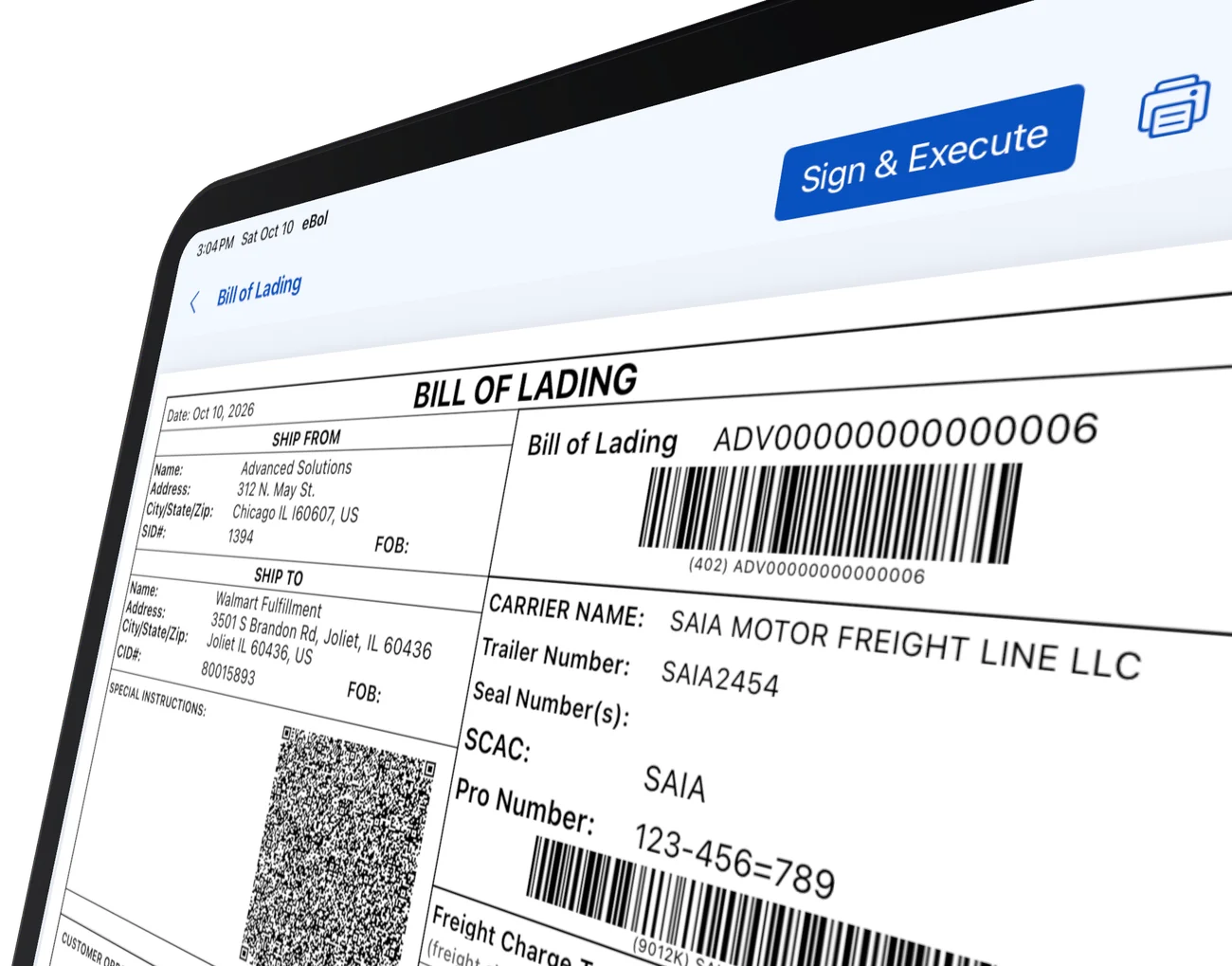
With the eBOL app, you create the Bill of Lading right where you load. Fill in the shipment details, have the driver eSign on the screen, print hard copies for the driver, and save a digital copy.
100+ warehouses already ship with eBOL Docs.
Made for the dock door
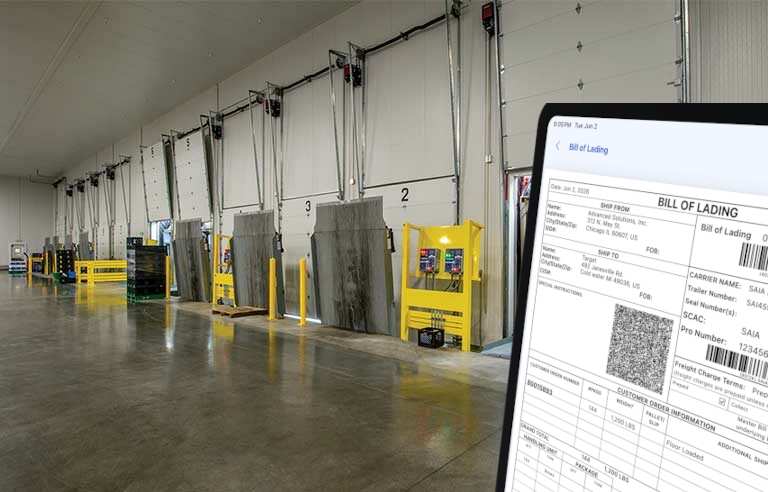
eBOL is built for the place your paperwork actually happens: a trailer backing in, a driver waiting, and a load that has to leave on time.
Signed at the dock, not chased down later
eSignature capture is built into every eBOL. The shipper and the driver sign right on the iPad screen, and their signatures go straight onto the Bill of Lading.
- Hand the iPad over and signFinger or Apple Pencil, no accounts or apps for the driver to install.
- Signatures live on the documentEach signature is placed on the BOL PDF, so every printed or shared copy shows who signed.
- Proof when you need itSigned BOLs stay in your document history, ready for billing questions and freight claims.
This is a preview of the signing step. Nothing you draw here is saved or sent.
Everything the paper pad did, without the paper pad
Clean, print-ready copies
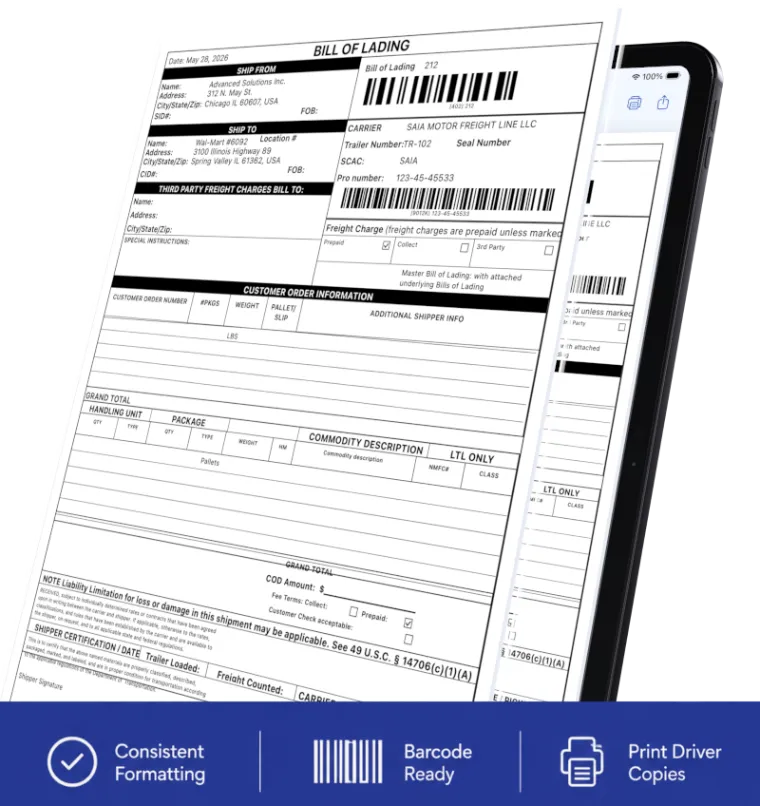
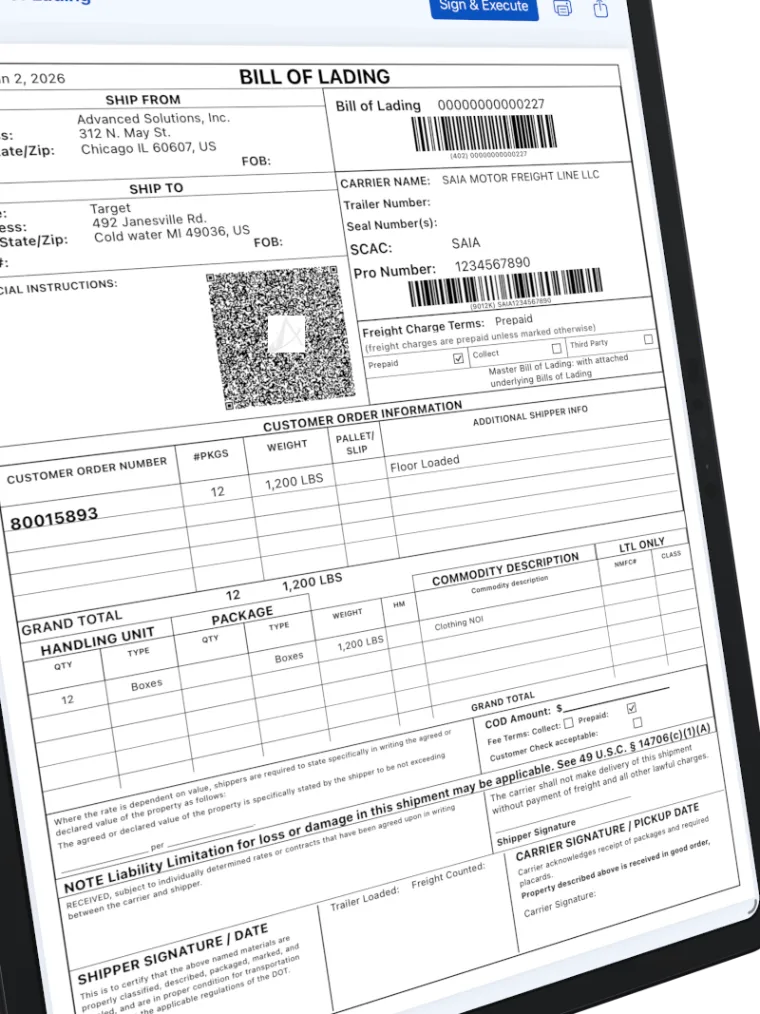
Every BOL comes out typed, consistent and barcode-ready. Print hard copies for the driver from any printer, and keep the digital original on the iPad.
Saved shippers, carriers and consignees
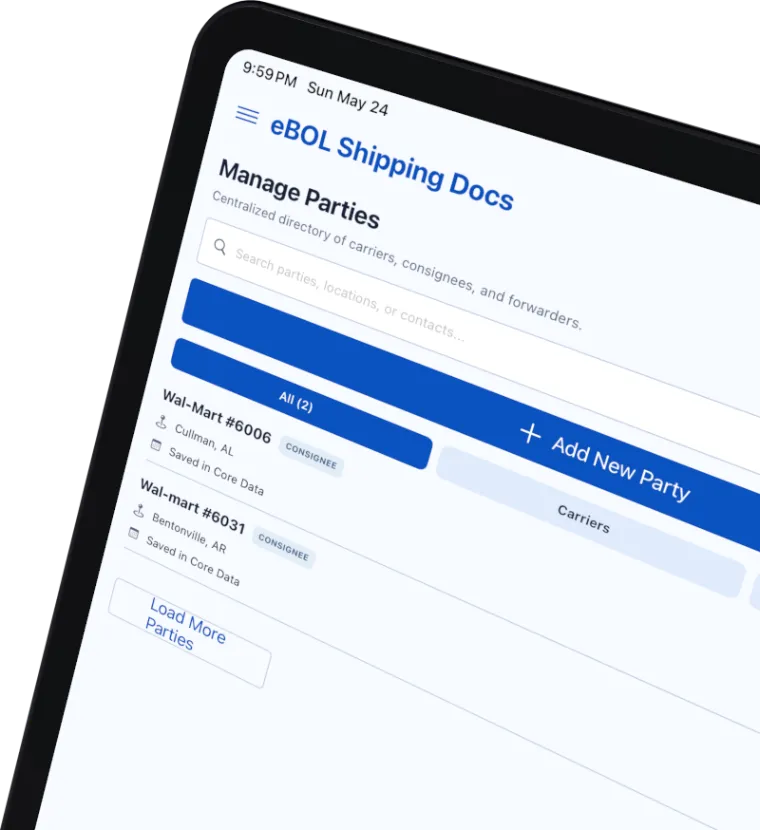
Reuse party records, default settings and standing instructions, so repeat loads take a few taps instead of a full form.
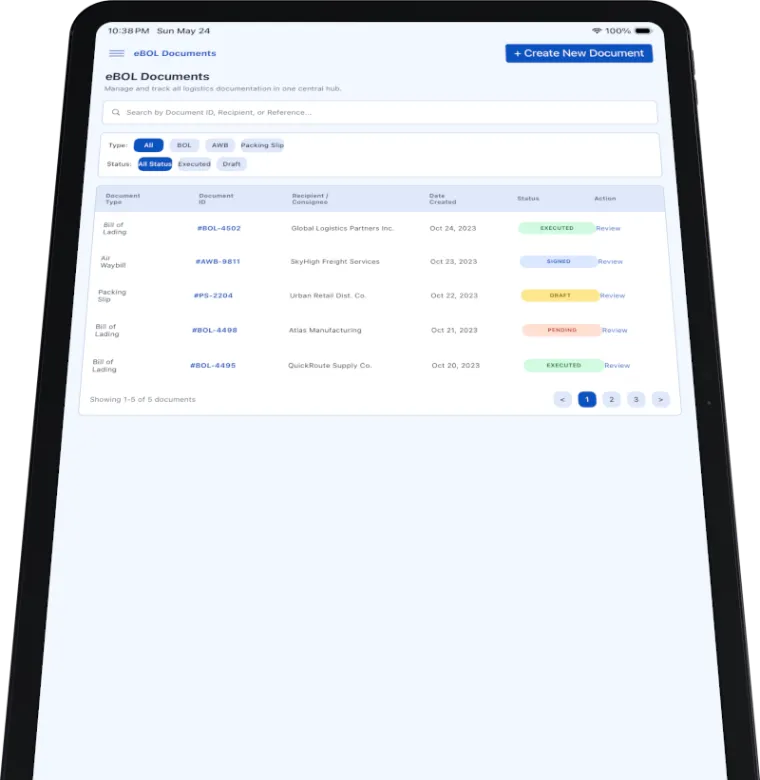
Searchable document history
Search and filter past BOLs by date, party or load when billing questions or freight claims come up.
Digital documents
Create consistent digital shipping records that are easier to read, store, search and share.
eSignature capture
Shipper and driver sign on the iPad at pickup, and the signatures go straight onto the BOL.
eBOL QR built in
Each document carries an eBOL QR code, so carriers and receivers can pull the shipment data instead of retyping it.
Barcodes for tracking
Barcode-enabled documents make loads easy to identify, track and retrieve at every handoff.
Built for OCR scanning
The BOL layout is designed to be read cleanly by OCR, so partners who scan the printed copy can capture the data without retyping it.
A clean switch from stationery-store forms
Most docks still write BOLs by hand on pads bought off a shelf. eBOL replaces them without changing how your team ships.

From the team at Advanced Solutions
eBOL comes from the people behind AdvancedBOL for SAP, AdvancedDock, OrchestratorAI and more, building supply chain software since 1999. When you outgrow a single iPad, the same team connects BOLs to your warehouse, yard and SAP systems.
Visit AdvSolutionPros.com- Supply chain softwareDock, yard, warehouse and transport apps
- SAP consulting and integrationLE/SCM, EWM and integration development
- Talk to a supply chain expertPlan a multi-site or SAP-connected rollout
Advanced Solutions also maintains the eBOL Standard, an electronic Bill of Lading data format now in beta. Learn about it at ebol.online.
Ready to digitize your shipping operations?
Download the eBOL app today and start digitizing and optimizing your paperwork flow.